Create Avid NEXIS Cloud Edition on Azure
Overview
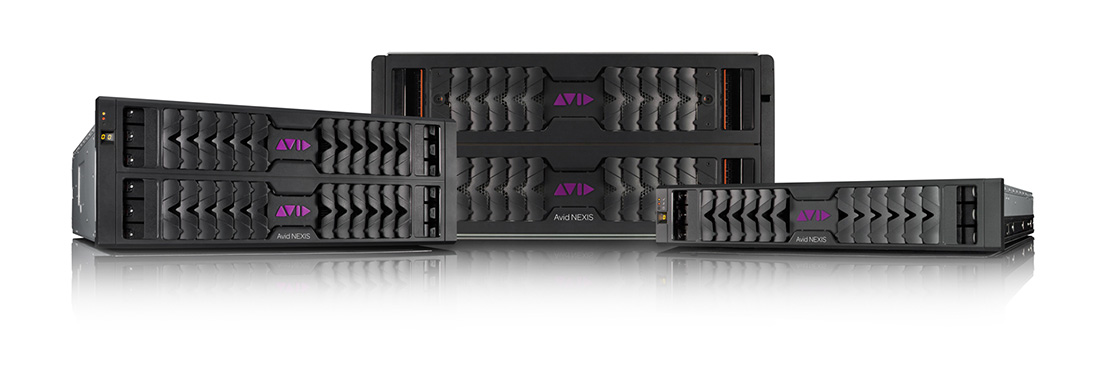
The Avid NEXIS software-defined storage system provides a high-performance distributed file system that contains high-capacity shared media storage for workgroups of connected devices. This template creates an Avid NEXIS Cloud Edition with one System Director (SDA) and multiple Mediapacks (MPs). The following is the list of parameters you need to enter when creating a NEXIS Cloud Edition system
Parameters
| Resource Group | You can create a new one or use an existing group |
| System Name | Specify Avid NEXIS system name. The following constraints applied: between 3 - 8 characters, lowercase alphanumeric |
| MP Count | The desired number of Media Packs |
| Media Disk Size | The size (in GB) of each Media Disk |
| Admin Password | Password for the Administrator account of the NEXIS system |
| New or Existing Vnet | New if you choose to create a new Virtual Network. Existing if you choose to use Virtual Network that has already been created. (To create a Vnet outside of this form, please go to the Azure portal and create a VNET under the resource group) |
| Vnet Name | Name of the new or existing Virtual Network (depending on choice above). If you chose Existing above, the name of the Vnet you enter here must match an existing Vnet, or deployment will fail |
| Vnet Resource Group | Name of the Resource Group where the existing Vnet is deployed. If you chose Existing above, this field must match the name of an existing resource group that contains the Vnet specified in the "Vnet Name" field. If you chose New, enter the name of the Resource Group that you're deploying to. |
| Subnet Name | If you chose New Vnet above, this will be the name of the new subnet in the new Vnet. If you chose Existing Vnet above, this name should match the existing subnet in that Vnet to which the Media Packs VMs should be deployed, or deployment will fail |
| Address Space | If you chose New Vnet above, this will be the address space for the Vnet in the form X.X.X.X/Y, with Y as the subnet mask. If you chose Existing Vnet, you can ignore this field |
| Address Subnet | If you chose New Vnet above, this will be the address subnet for the Vnet in the form X.X.X.X/Y, with Y as the subnet mask. It must be within the Address Space you configured above, or deployment will fail. If you chose Existing Vnet, you can ignore this field |
| Deploy Public IPs | Select whether or not you want to deploy resources with Public IP addresses |
| Static Private IP Address | (optional) The static private IP address for the SD. If not specified, it will use whatever address assigned by Azure and make that static. |
| URL Location | (optional) Location of the deployment templates |
| SAS Token | (optional, leave blank for now) |
| Nexis Build | (optional) Use default or specify custom Nexis build number |

Add Media Packs to Avid NEXIS Cloud System
Overview
You can add Media Packs to an existing Avid NEXIS Cloud System. NOTE The following parameters must match with those of the selected system: Resource Group, System Name, Admin User Name, Admin User Password, Vnet Name, Subnet Name, Current MP count
Parameters
| Resource Group | Choose Use existing and from the drop-down list select the Resource Group you would like to modify |
| System Name | Specify existing Avid NEXIS system name. This should match the name used when that Avid NEXIS System was created. (Ex: For existing Avid NEXIS MP VMs, it is the prefix on the name before the “mp” part of the name. So, for an MP VM named mysysmp00, the system name is “mysys”.) |
| Additional MP Count | The number of Media Packs to add |
| Media Disk Type | Type of Mediapack Disks (Standard_LRS for HDD, or Premium_LRS for SSD) |
| Media Disk Size | The size (in GB) of each Media Disk |
| Admin User Name | Name of the Administrator of the NEXIS system |
| Admin Password | Password for the Administrator account of the NEXIS system |
| Vnet Name | Name of the Virtual network of the existing system. Name of the existing Vnet |
| Vnet Resource Group | Name of the Resource Group where the existing Vnet is deployed. This field must match the name of an existing resource group that contains the Vnet specified in the "Vnet Name" field. |
| Subnet Name | Name of the existing subnet in the existing Vnet to which Media Packs should be deployed |
| Current MP Count | Number of Media Packs already deployed in the system |
| Deploy Public IPs | Select whether or not you want to deploy resources with Public IP addresses |
| _artifacts Location | (optional) Location of the deployment templates (leave default) |
| _artifacts Location Sas Token | (optional, leave blank for now) |
| Nexis Build | (optional) Leave blank for default Nexis build. Otherwise specify custom Nexis build name |
Add Clients to Avid NEXIS Cloud System
Overview
You can add Client VMs to an existing Avid NEXIS Cloud System. NOTE The following parameters must match with those of the selected system: Resource Group, System Name, Admin User Name, Admin User Password, Vnet Name, Subnet Name, Current Client Count
Parameters
| Resource Group | Choose Use existing and from the drop-down list select the Resource Group you would like to modify |
| System Name | Specify existing Avid NEXIS system name. This should match the name used when that Avid NEXIS System was created. (Ex: For existing Avid NEXIS MP VMs, it is the prefix on the name before the “mp” part of the name. So, for an MP VM named mysysmp00, the system name is “mysys”.) |
| Additional Client Count | The number of Client VMs to add |
| VM Size | Type (Size) of Client VM. (Standard_F2s, Standard_NV6 or Standard_NV12). Unless you really need GPUs, always use Standard_F2s |
| VM Sku | OS Type for Client VM. ("2016-DataCenter", "2008-R2-SP1", "Windows 10 Pro", or "CentOS 6.5") |
| Admin User Name | Name of the Administrator of the NEXIS system |
| Admin Password | Password for the Administrator account of the NEXIS system |
| Vnet Name | Name of the existing Vnet |
| Vnet Resource Group | Name of the Resource Group where the existing Vnet is deployed. This field must match the name of an existing resource group that contains the Vnet specified in the "Vnet Name" field. |
| Subnet Name | Name of the existing subnet in the existing Vnet to which Client VMs should be deployed |
| Current Client Count | Number of Client VMs already deployed in the system |
| URL Location | (optional) Location of the deployment templates (leave default) |
| SAS Token | (optional, leave blank for now) |